DataPulse AI / Data Cleansing
Data Cleansing
Turn a raw bronze table into a clean silver table without writing the SQL. Describe the fix in plain English, review the SQL behind a safety gate, preview 100 rows, then write a new table. Your source table is never changed.
From a messy table to a scheduled, checked pipeline.
Profile
A health score out of 100 with its reasons, null and distinct counts, defects such as numbers stored as text, and Databricks' own data-quality monitor status when one is enabled.
Rules and scorecard
Not null, numeric range, pattern, unique and foreign-key rules, each with rows passed and failed, run with your own access.
Describe, then review the SQL
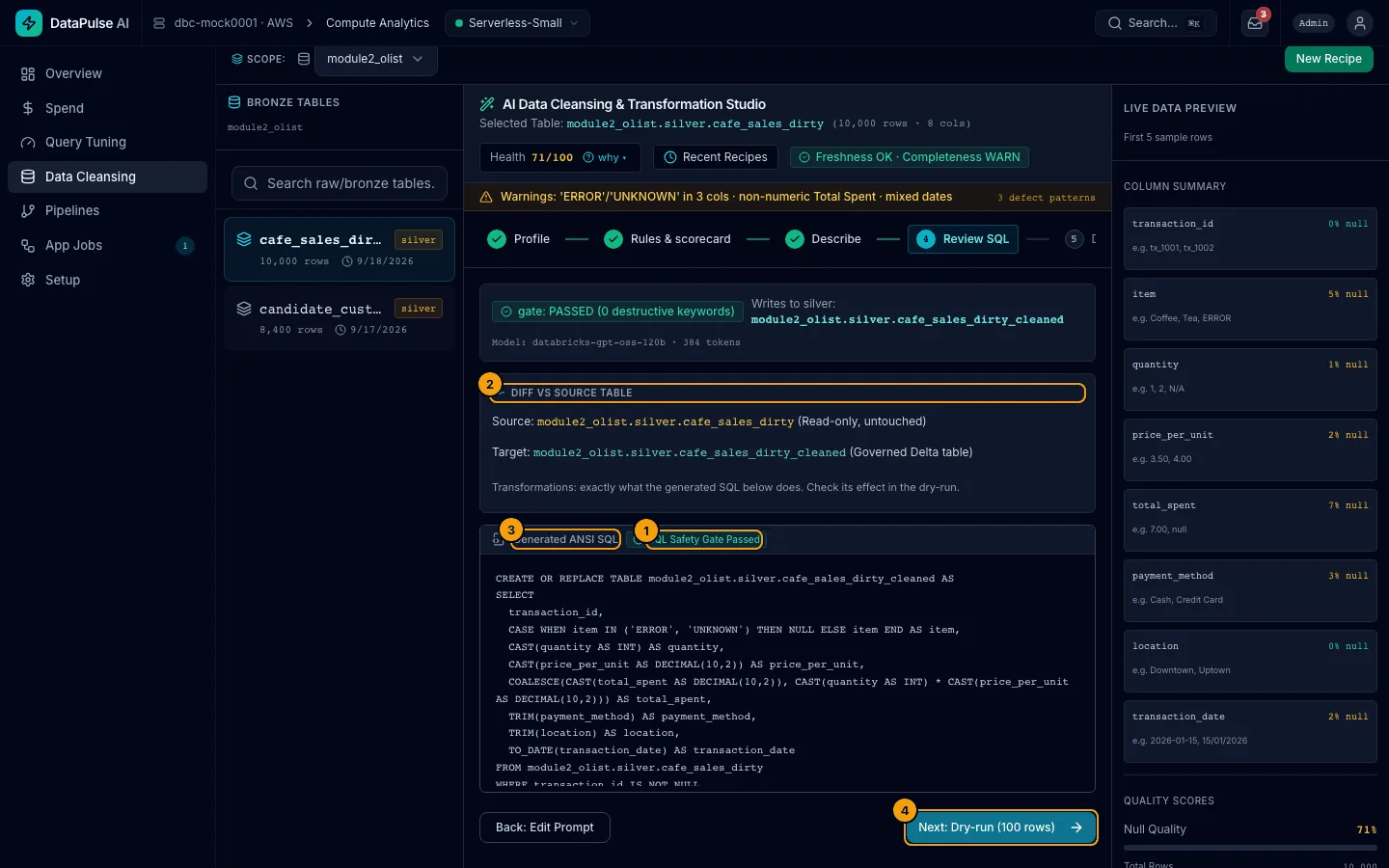
Type the fix in plain English. A model your admin allows writes plain ANSI SQL, and the safety gate checks it before you see it.
Dry-run, run, productionize
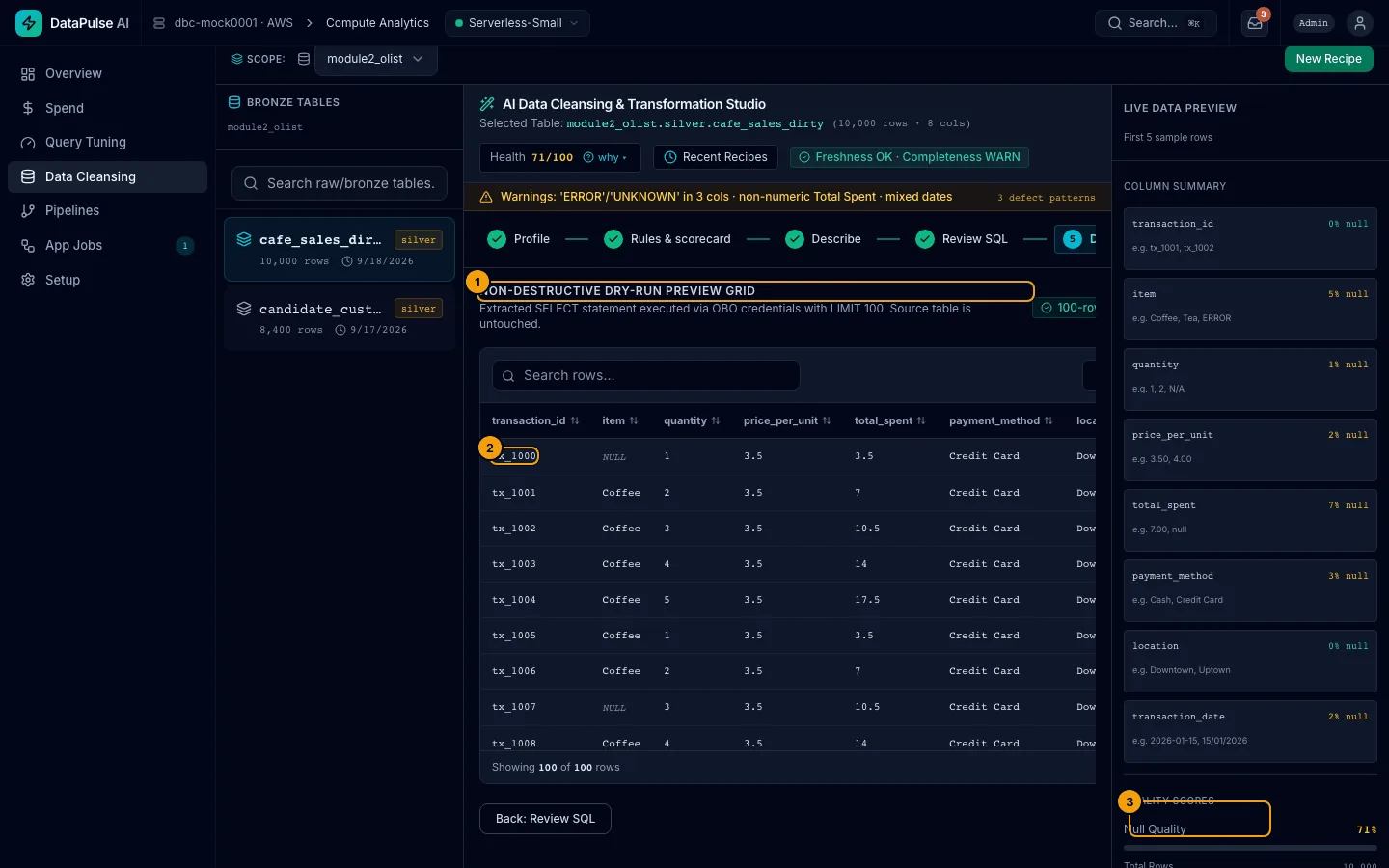
Preview 100 rows, write the silver table now or as a background job, then schedule it with enforced expectations after an admin approves.
Nothing destructive runs. Your source stays read-only.
- Generated SQL passes a safety filter that blocks
DROP,DELETE,UPDATE,INSERT,ALTER,GRANTand multi-statement input. A blocked statement is never executed. - A request to drop or delete the table is refused before any model is called.
- The only write to your data is a
CREATE TABLE AS SELECT(or a view) into your target schema,silverby default. A run replaces only a table DataPulse created. - Runs use your own permissions. A background job starts only after a check that you can read the source and write the target.
Metadata and statistics, not your rows.
The model receives table and column names, types, null and distinct counts, and your typed instruction. By default it also receives up to 5 real, unmasked sample values from each column with 20 or fewer distinct values, because a mapping such as 'SHPD' → 'Shipped' needs the real categories.
- An admin can turn sample values off in Setup → Models. If the setting cannot be read, none are sent.
- Raw table rows and columns with many distinct values are not sent.
- The model is a Model Serving endpoint in your workspace, from an allow-list your admin controls.
- Output must match a strict schema, and AI output is labelled in the app.
See DataPulse AI on your own workspace.
A 30-minute walk-through of Spend, Data Cleansing and Pipelines, then a read-only Free Health Check on one of your workspaces if it fits.