DataPulse AI / Pipelines
Pipelines: the Pipeline Health Center
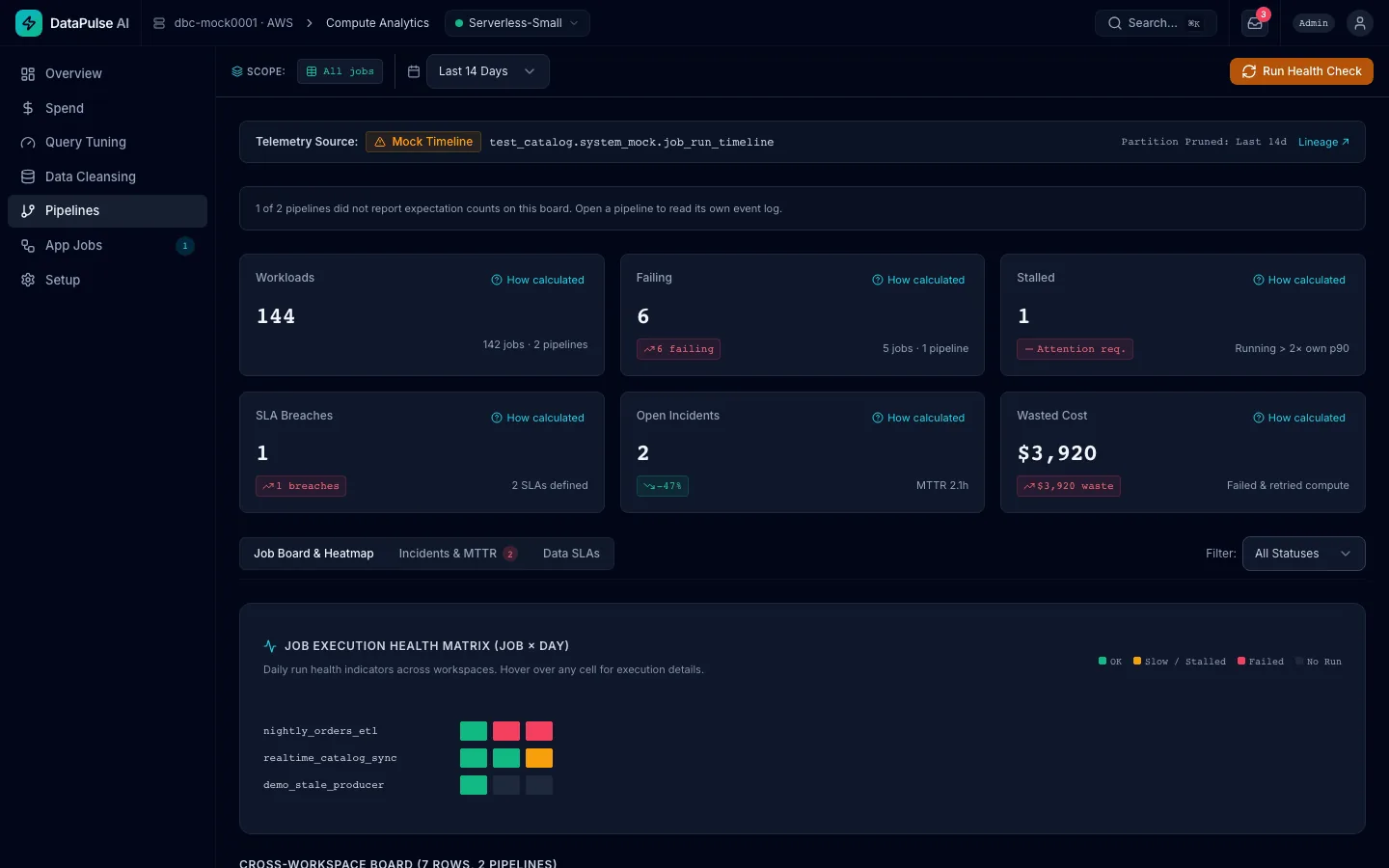
One board for every Lakeflow job and declarative pipeline across your workspaces: what is failing, what is stuck, what it cost, and what breaks downstream. DataPulse watches and repairs your pipelines; it never writes or changes their code.
Compared with its own history, not a fixed number.
- Workloads, Failing, Stalled, SLA Breaches, Open Incidents and Wasted Cost, each with a How calculated link.
- Stalled means running longer than twice the job's own p90.
- Wasted Cost is the dollars and DBUs spent on failed and retried runs, from
system.billing.usage. - A job-by-day health matrix, and a cross-workspace table you can sort, search and export.
- Jobs (runs) and declarative pipelines (updates) side by side, each badged. A cancelled update is not counted as a failure.
The settings that turn one failure into many.
Jobs
No timeout, no retry policy, no owner, and scheduled work on all-purpose compute.
Declarative pipelines
No failure alert, development mode in production, published rows with no expectations, and continuous mode with only a few updates a day.
A check DataPulse could not run says so. It never reports "passed" for something it did not read.
From the error to an approved repair.
- Diagnose with AI reads the failed run's error text and suggests a cause, fix steps and a confidence. Treat it as a lead, not a verdict.
- Repair Run re-runs only the failed tasks (low risk). It can be cancelled while it runs; tasks it already re-ran stay re-run.
- Retry update starts a fresh update of a failed declarative pipeline (low risk).
- Full refresh rebuilds one table, never the whole pipeline (high risk, admin only).
- Downstream impact from Unity Catalog lineage shows in the job drawer and in the confirm dialog before you act.
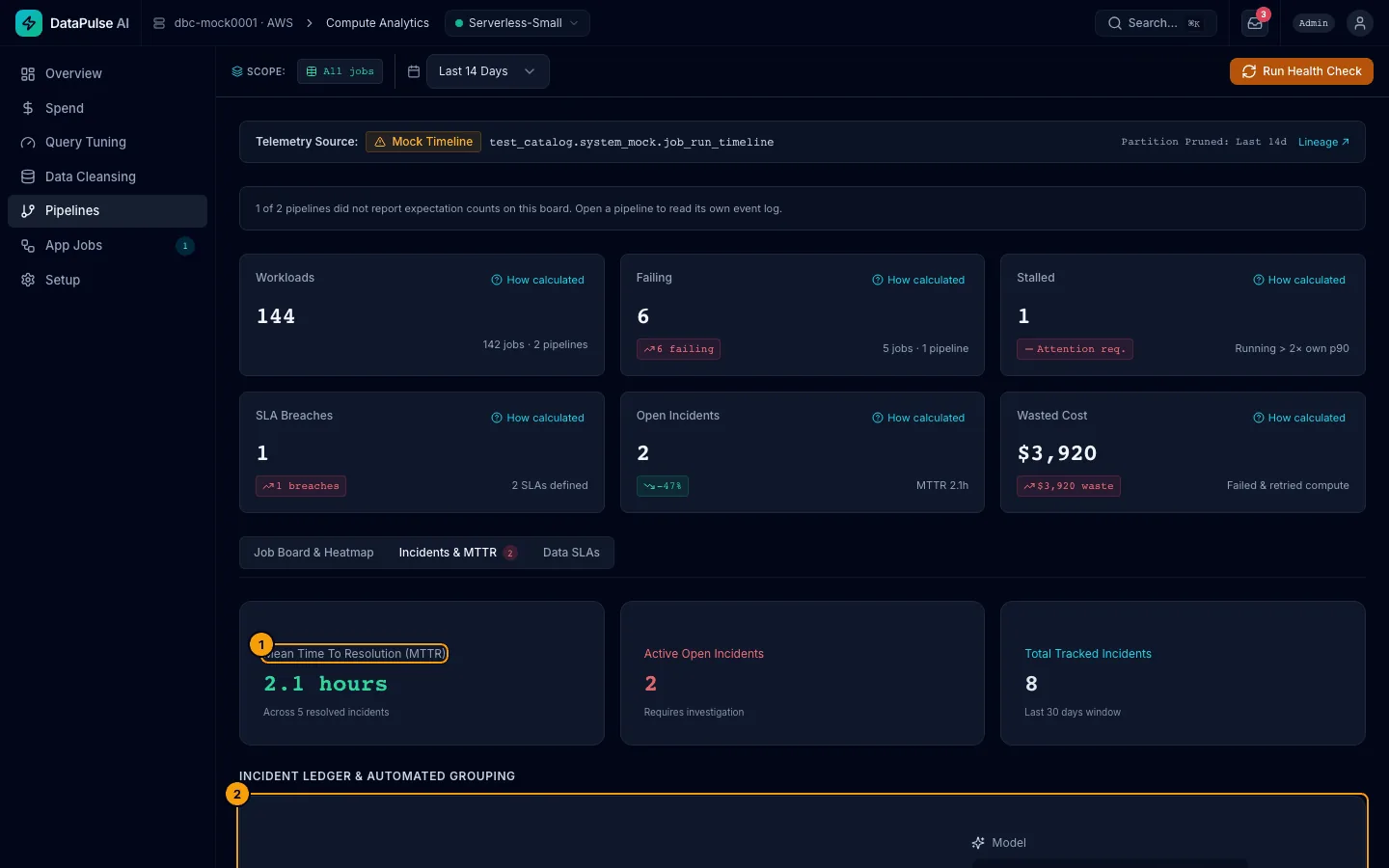
Data SLAs and incidents with an owner.
Data SLAs
Freshness, row count against a baseline, or an expectation on the table, each tied to its owner and checked with Evaluate SLAs Now.
Incidents
Failures of the same job within two hours are grouped into one incident with a status (open, acknowledged, resolved), an owner and time to resolve.
When incidents open
From SLA breaches, failed recipe expectations, Diagnose with AI on a failed pipeline update, and failing jobs when the health-check job runs. Its schedule ships paused, so you decide when it runs.
See DataPulse AI on your own workspace.
A 30-minute walk-through of Spend, Data Cleansing and Pipelines, then a read-only Free Health Check on one of your workspaces if it fits.