DataPulse AI / Spend
Spend and Query Tuning
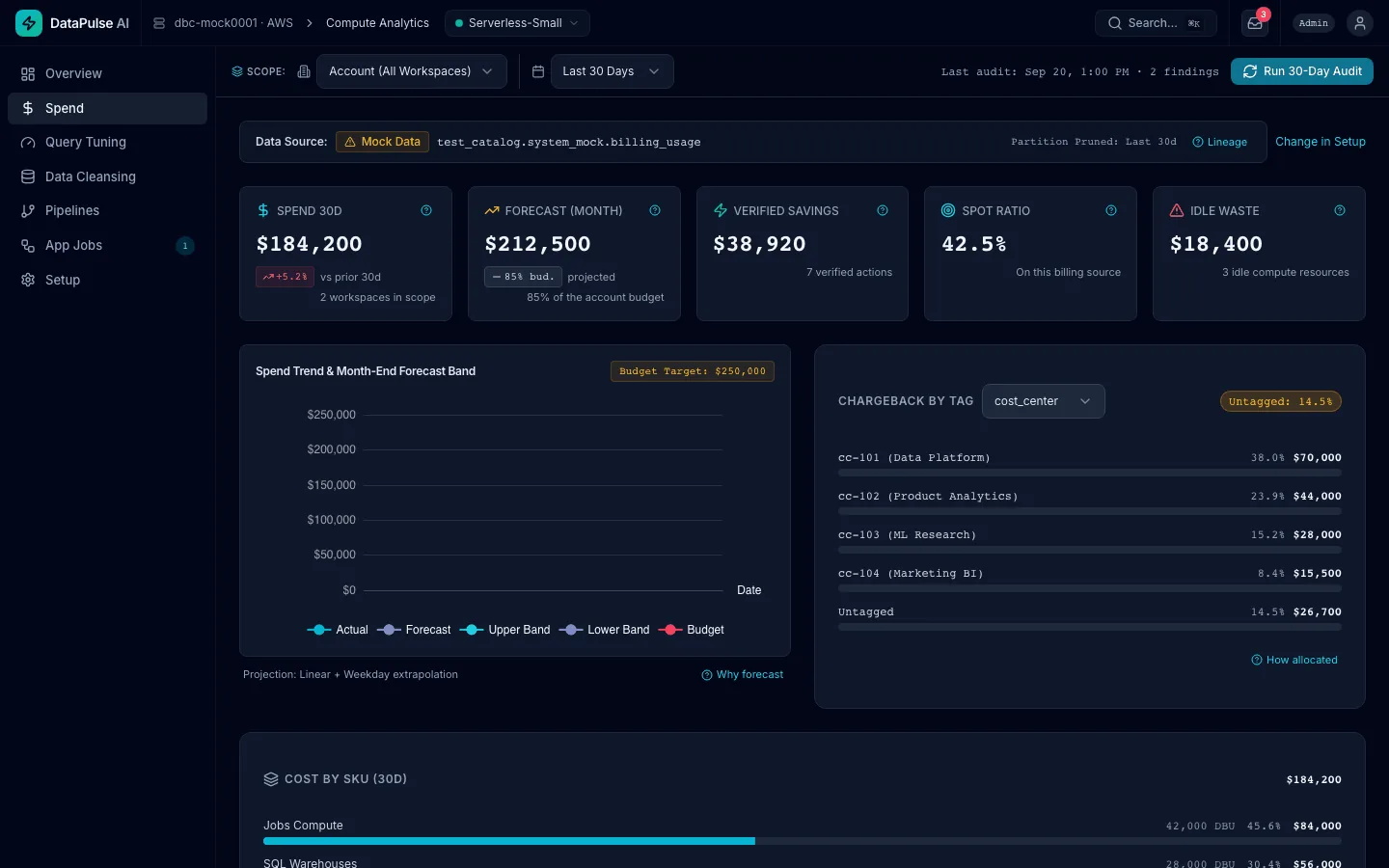
Know where the money went and where it is heading, catch a budget breach before month-end, and switch off what is idle, with every change approved and only measured savings counted.
Your bill, explained from your own system tables.
- Cost by SKU (Jobs Compute, SQL Warehouses, All-Purpose, declarative pipelines), costliest first. Billing rows hold DBUs, so cost is DBUs multiplied by the list price.
- Chargeback by tag, with the untagged share shown so you can see which cost has no owner.
- Spend anomalies flagged by statistics: spend more than two standard deviations above its rolling 30-day mean. No AI is used.
- A month-end forecast against your budget target, with the method one click away.
- Every system-table query has a date filter, so it scans only recent partitions and stays cheap.
- Every number has a How calculated link that opens its query.
Budgets that propose the fix.
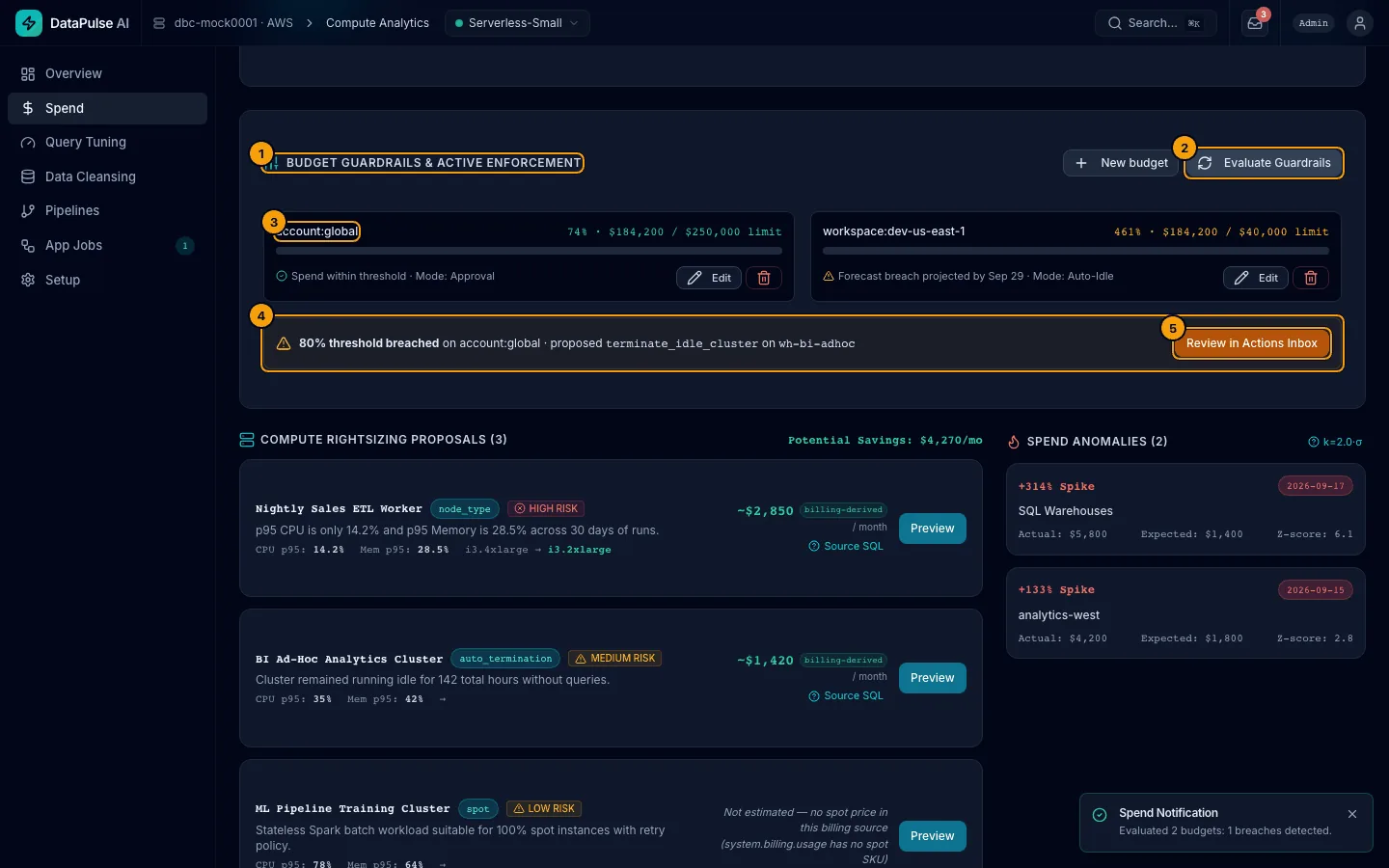
Guardrails check your budgets when you press Evaluate Guardrails and propose a fix, such as stopping a warehouse that has no running query, for a person to approve.
- Approval mode is the default: each proposal waits in the Actions inbox with its risk, its daily saving and how to roll it back.
- A warehouse stop is low risk only when the query history shows no running or queued query, and it is checked again right before it runs.
- Auto-Idle mode (Business tier): low-risk actions on idle resources run without a person, and each is recorded and reversible. Cluster terminations are always proposed, never automatic.
- Rightsizing proposals with CPU and memory p95 evidence (Business tier).
A saving counts only after it is measured.
An executed action becomes verified only after its observation window has passed (7 days unless your admin changes it) and a person presses Verify. DataPulse then measures the effect against the window before the action. Nothing verifies on a timer, and estimates, including every AI estimate, never count as verified savings.
Find the slow, expensive queries. Get a safer rewrite to test.
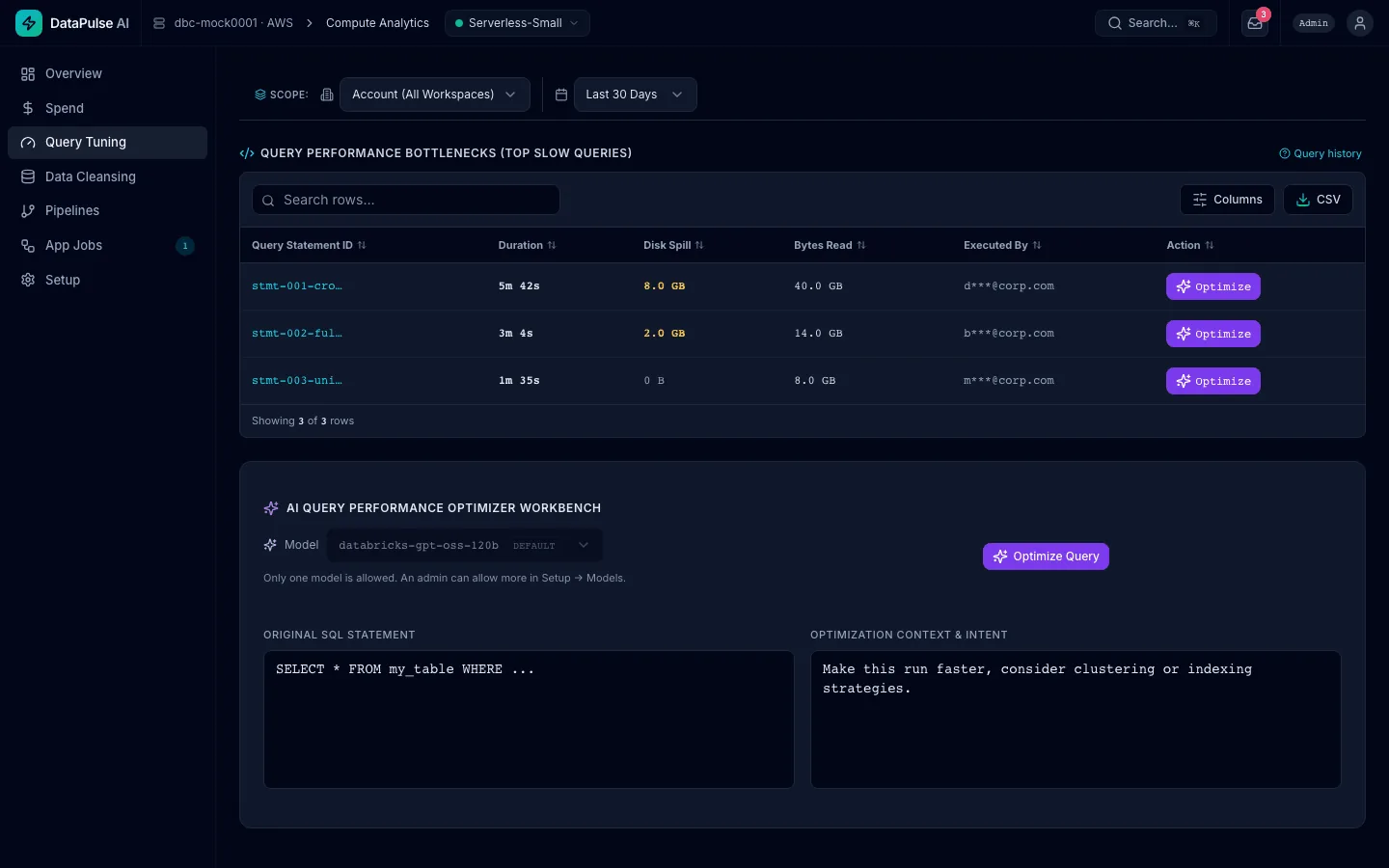
- Top slow queries from
system.query.history:SELECTstatements from the last 30 days that ran 10 seconds or more, spilled to disk, or read 1 GB or more. - An AI optimizer rewrites a query with a model your admin allows. A safety check confirms the rewrite is a read-only
SELECT. - The saving shown is labelled an AI estimate. DataPulse does not measure the effect of a rewrite: test it yourself.
- Other users' emails are shortened unless you are an admin.
See your own spend, read-only.
The Free Health Check runs the read-only Spend view and Pipelines board on your workspace for 30 days, with no licence fee.