Query Tuning
Query Tuning identifies slow, expensive, or inefficient queries and helps you rewrite them using generative AI models.
How it works#
DataPulse analyzes query execution history from system.query.history to highlight bottlenecks. The list holds only SELECT statements (a WITH … SELECT counts) that someone other than DataPulse ran in the last 30 days and that ran for 10 seconds or more, spilled to disk, or read 1 GB or more. Inserts, table changes, DESCRIBE, SHOW, system-table lookups and DataPulse's own statements are left out. Click Query history above the table to see the exact SQL. You can load any bottleneck into the AI optimizer workbench and pick an allowed LLM to rewrite it.
Walkthrough: Speed up a slow query#
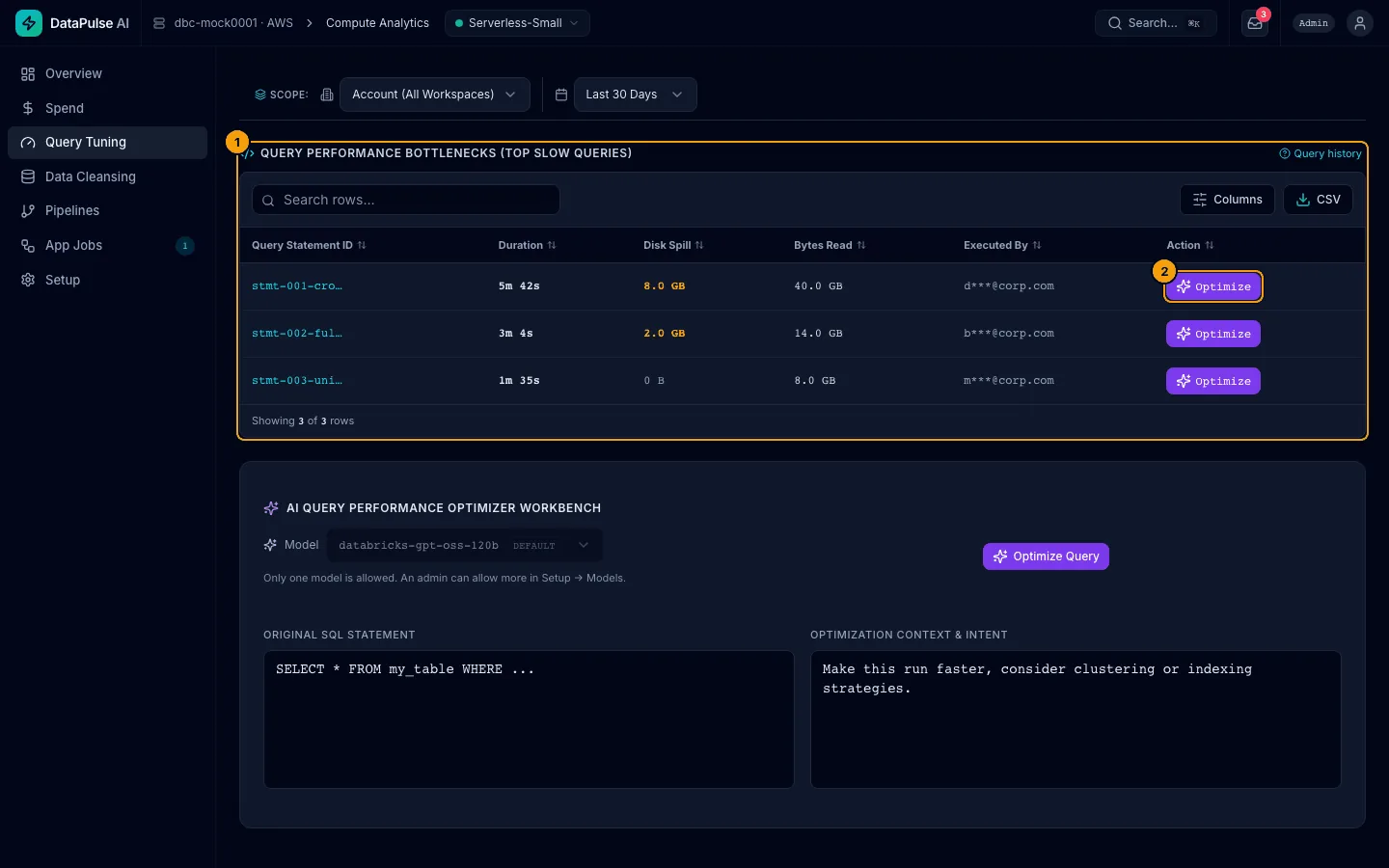
- Top slow queries. One row per query.
- Optimize on a row loads that query into the workbench.
Anyone with a DataPulse role can read Top slow queries. Optimize Query calls the AI model, so it needs the operator role for Query Tuning, or admin. The button is not switched off for other roles: a reader or cleansing engineer who presses it sees Query Optimization Failed with the reason the server gave.
Find Top slow queries. The table shows duration, disk spill, bytes read, and who ran it. Other users' emails are shortened (for example d***@corp.com) unless you are an admin. You can search, choose columns, and export CSV.
- Click on a row to load the query into the workbench, in the Original SQL Statement box. You can also paste your own. The optional Optimization Context & Intent box takes schema details or what the report needs. The workbench only tunes a
SELECT. If the text is anything else, Optimize Query is switched off and a line under the box says why. The two text boxes keep their size and scroll when the text is long. - Under Model, choose an allowed model to rewrite the query.
- Click Optimize Query.
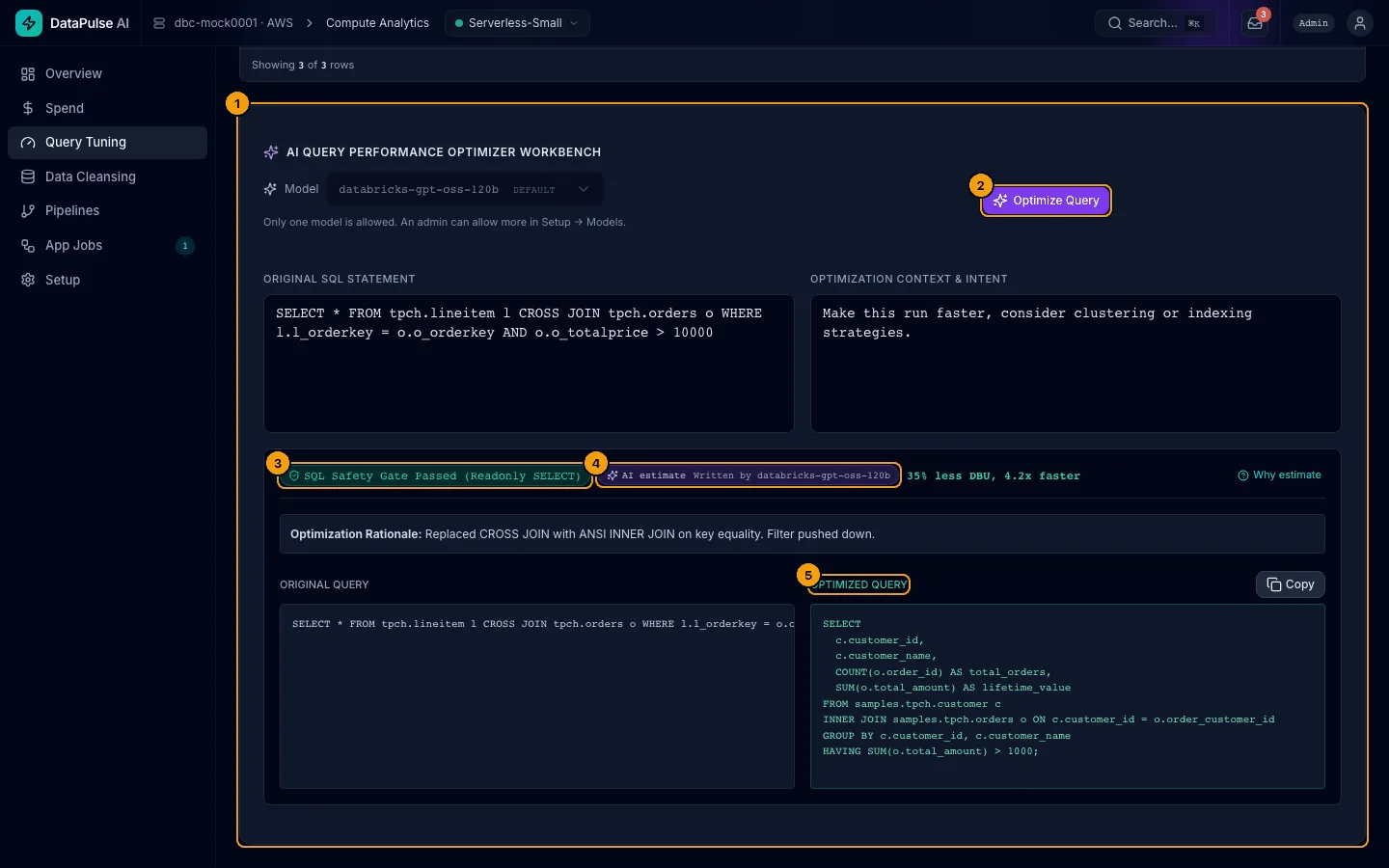
- AI Query Optimizer Workbench. The model rewrites the query.
- A safety check confirms the result is a read-only
SELECT. Anything that could change data is blocked. - AI estimate is a guess about savings, not a measurement. Why estimate explains it.
- Original Query and Optimized Query appear side by side. The result panel shows "Written by" next to the AI label to indicate which model answered. Copy the result and test it yourself before you use it.
Only the query text and table structure go to the model, never your rows.
Model Choice#
A long model name is cut with "…" inside the box; hover to read it in full. When only one model is allowed, the note "Only one model is allowed…" sits on its own line under the box.
Your admin configures which models are allowed in Setup → Models. If the model you used previously is no longer allowed, the page will inform you and fallback to the default.