Troubleshooting
Find the message you see, then follow the fix. If it says to ask an admin, quote the error code shown on the panel. Admins can also open Setup and use Copy fix.
How it works#
By message#
| You see | Cause | What to do |
|---|---|---|
WAREHOUSE_STOPPED "SQL Warehouse is currently STOPPED" | The warehouse is off and did not wake in time. | Wait a minute and retry. Or pick another warehouse in the top bar. An admin can start it. |
TABLE_NOT_FOUND | The table does not exist, or you cannot read it. | Check the catalog, schema, and table. Ask for SELECT. |
FORBIDDEN_ROLE | Your DataPulse role is too low, or you have none. | See Roles. Ask an admin to add you to a group. |
| Access Denied to Executive Overview | You have no DataPulse role. | Same as above. |
DESTRUCTIVE_SQL | The request would delete or change data. | Rephrase to describe a clean copy, not a change to the source. |
PRECHECK_DENIED | You cannot read the source or write to the target schema. | Ask for USE SCHEMA and CREATE TABLE on the target schema. |
OUTSIDE_CHANGE_WINDOW | An admin allows changes only at certain times. | Try again inside the window. |
MISSING_OBO_TOKEN | The sign-in token did not reach the app. | Open the app from its Databricks URL, not a copied API link. Sign in again. |
VALIDATION_ERROR | A field is missing or wrong. | Read the message, correct the field, and retry. |
PIPELINE_ERROR Pipeline Telemetry Query Error | The job history query failed. | Retry. If it repeats, an admin should check the system-table grants in Setup. |
| Compute Metrics Query Error | The Spend query failed. | Retry, then ask an admin to check Setup. |
PROFILE_ERROR | The table could not be profiled. | Confirm the table is readable and the warehouse is running. |
OVERVIEW_LOAD_FAILED | The Overview could not load. | Click the retry button. If it repeats, ask an admin. |
| Mock Data or Mock Timeline strip | Real system tables could not be read. | Ask an admin to check the system-table grants in Setup. |
| Empty page or No jobs or pipelines found | No history in the window, or no access to workspaces. | Widen the time window. Check your workspace scope. |
Walkthrough: the warehouse is stopped#
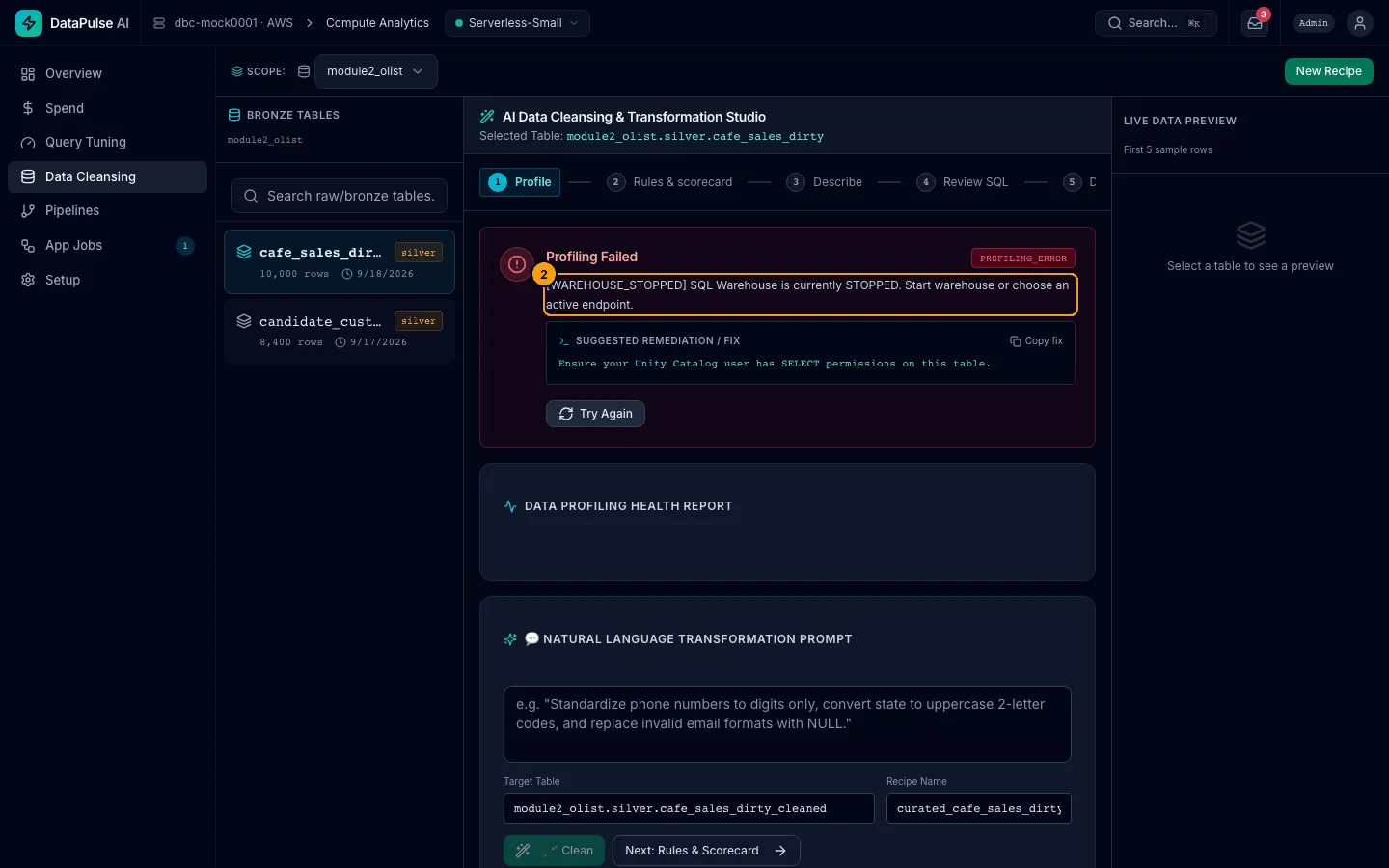
- The panel shows the error code
WAREHOUSE_STOPPED. - It explains the cause in plain language and suggests a fix.
- Wait about a minute and select the table again.
Walkthrough: a panel failed#
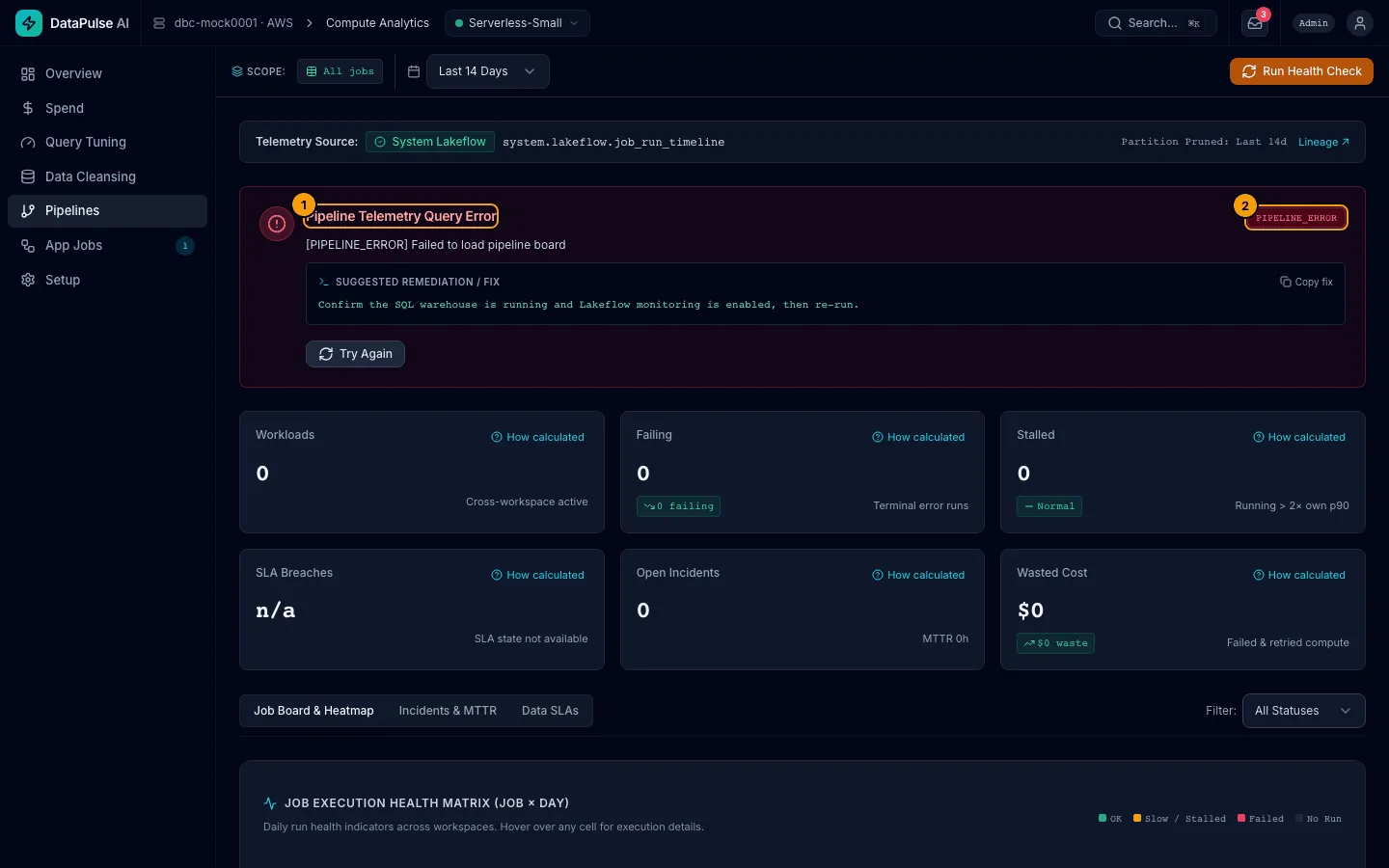
- The panel title says what failed and why.
- The error code is the piece to quote to your admin.
A panel that fails does not stop the others. You can keep working on the rest of the page.
Walkthrough: read the Setup checklist (admins)#
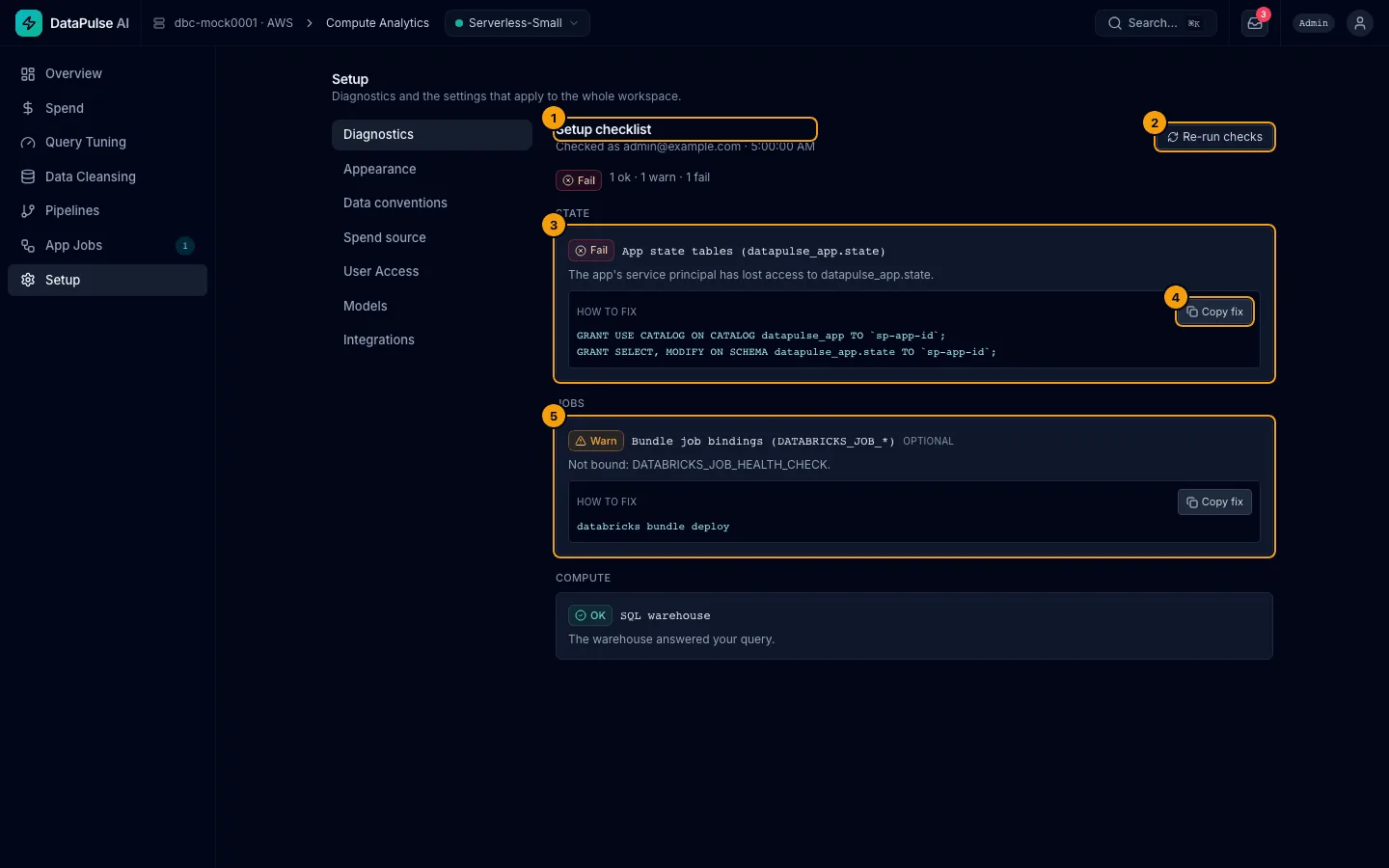
- Setup checklist lists checks by group: State, Jobs, Compute, and more. Each is OK, Warn, or Fail.
- Re-run checks runs them again after you fix something.
- A failing check shows what is wrong and HOW TO FIX.
- Copy fix copies the command or SQL. Run it as an admin, then re-run the checks.
- A check marked OPTIONAL is a warning, not a fault. The app works without it.
For deeper problems (failed deploy, cost spike, state migration) see the runbooks in docs/runbooks/.