Roles
DataPulse has four roles. Your admin adds you (or a group you belong to) in Setup → User Access and picks your role. Your role shows in the badge at the top right. If you see "You don't have access to DataPulse yet", ask an app admin to add you.
How it works#
Your own entry wins. If an admin revoked you, you have no access, even if a group you belong to has one. If your entry was cleared or you have none, the highest role among your groups wins. What data you can see is still set by your Unity Catalog permissions.
What each role can do#
| You want to… | reader | cleansing engineer | operator | admin |
|---|---|---|---|---|
| Read Overview, Spend, Query Tuning, Data Cleansing, Pipelines, App Jobs | ✓ | ✓ | ✓ | ✓ |
| Profile a table and read rules and scorecards | ✓ | ✓ | ✓ | ✓ |
| Generate SQL with AI (uses model compute) | ✓ | ✓ | ✓ | |
| Run a cleaning recipe (Run now, Run as background job) | ✓ | ✓ | ✓ | |
| Optimize Query in Query Tuning (uses model compute) | ✓ | ✓ | ||
| Run 30-Day Audit, Evaluate Guardrails, Run Health Check | ✓ | ✓ | ||
| Approve and execute LOW RISK actions of a module you can change | Data Cleansing only | ✓ | ✓ | |
| Approve and execute HIGH RISK actions | ✓ | |||
| Create or edit data SLAs; acknowledge, resolve, and explain incidents | ✓ | ✓ | ||
| Create budgets | ✓ | |||
| Request productionize of a recipe (an admin approves and runs it in the Actions inbox) | ✓ | ✓ | ||
| Productionize a recipe (schedule it, in one step) | ✓ | |||
| See other users' full emails, and All users in App Jobs | ✓ | |||
| Open Setup diagnostics and User Access | ✓ |
The same table, generated from the code that enforces it, is in the Appendix of the Application Manual.
An operator can be limited to some modules. Read access stays everywhere. The limit also applies to actions: an operator limited to Spend can approve a Spend action, and the button on a Pipelines action is disabled with "Your access does not include Pipelines".
What a blocked click looks like#
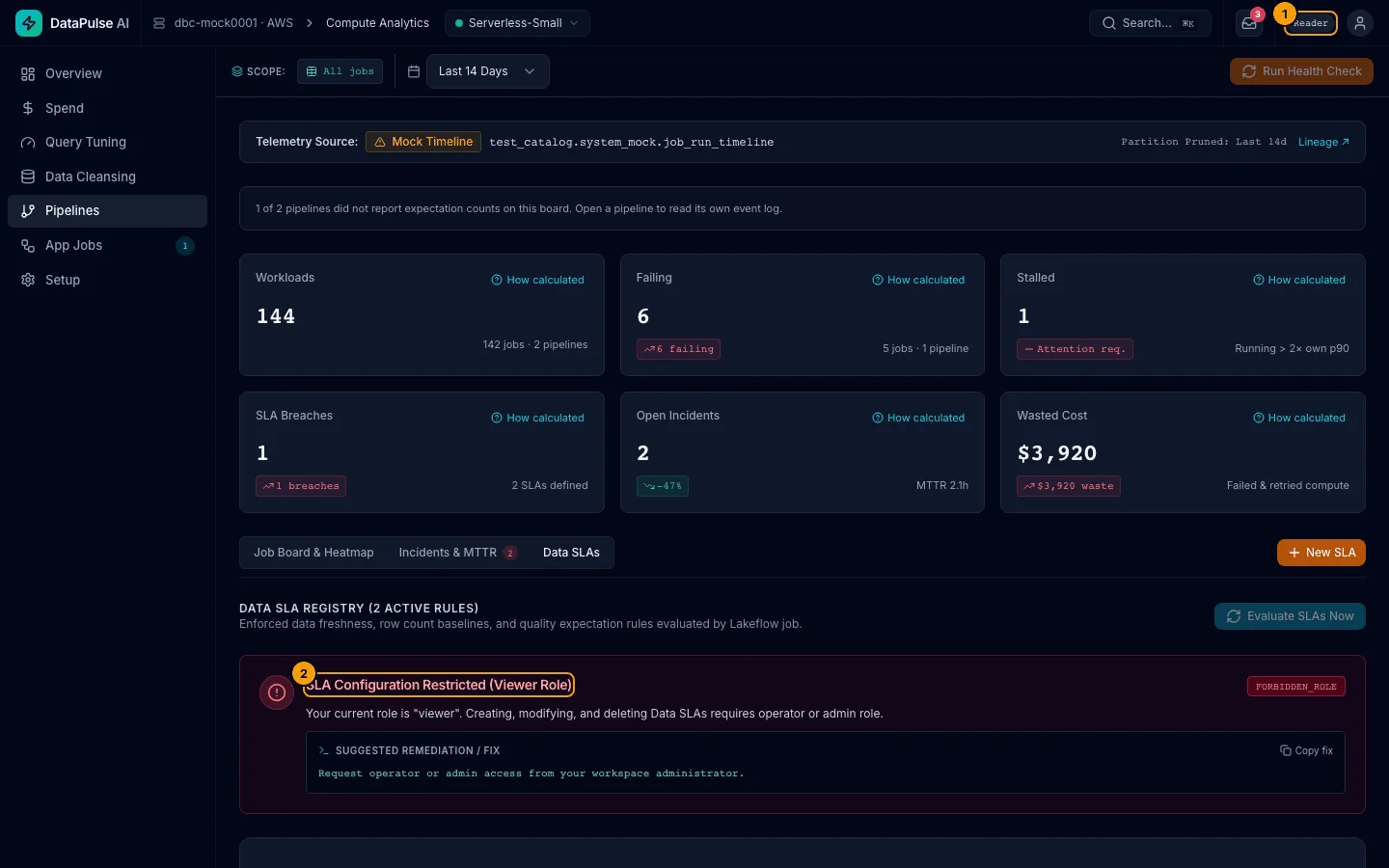
- The role badge names your role: Reader, Cleansing engineer, Operator or Admin.
- The panel names the role you need: SLA Configuration Restricted (Viewer Role). It ends with what to do: ask your app admin.
The code FORBIDDEN_ROLE on any panel means your role cannot do this. The code NO_ENTITLEMENT means you have not been added to DataPulse yet.
When you have no access#
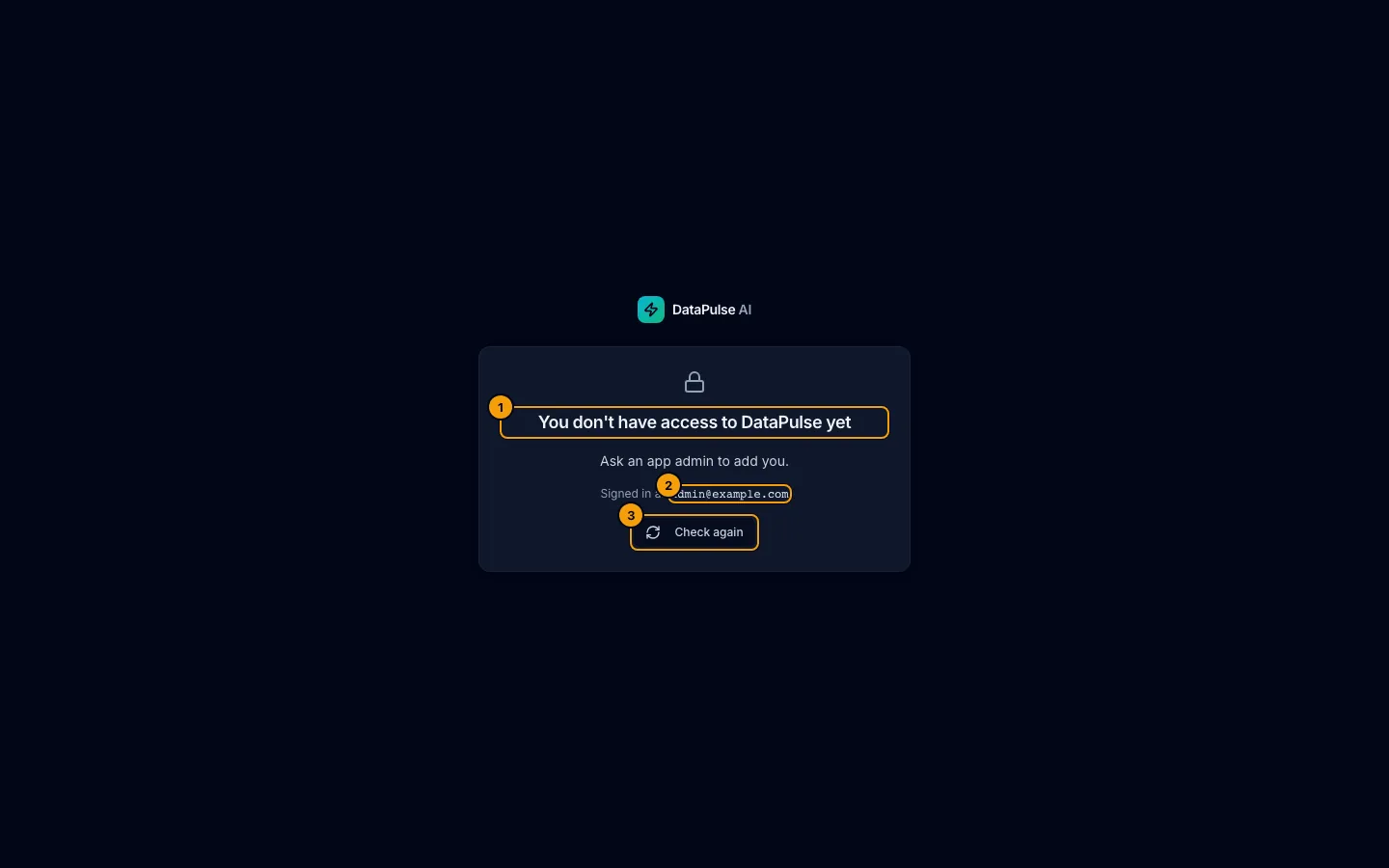
- The message. 2. Your email, to give to the admin. 3. Check again once an admin has added you.
If an app admin has not added you (or a group you belong to), or removed your access, DataPulse shows one full-page message instead of the app:
- You don't have access to DataPulse yet. with "Ask an app admin to add you." and your email, so you can tell the admin which account to add.
- Your access was removed. with "An app admin removed your DataPulse access. Ask them if this is a mistake."
The app sends no other requests while this screen shows. When an admin has added you, choose Check again.
See your own role#
Open Setup → User Access. If you are not an admin, you see your role, where it comes from (your own entry or a group) and which modules you can change, with "Ask an app admin to change it". The Add access button is disabled and says why. Admins see the table of everyone and manage it there: see Roles and access.
First-day access#
On a new install, until an app admin exists, a workspace admin is treated as admin so nobody is locked out, and sees the banner "No app admin is set. Add one in Setup → User Access". They then add the admins and everyone else in Setup → User Access, and this shortcut ends. See Roles and access.
Data access is separate#
Your role controls what you can do in DataPulse. Unity Catalog controls which data you can read. An admin in DataPulse still cannot read a table they have no permission on.